 Add to Chrome
Y2K Phone: a cute theme for ChatGPT, Claude and Gemini
A satin-silver candybar with a lime LCD, typewriter text and a keypad you covered in stickers back in 2003.
Free · chatgpt.com, claude.ai and gemini.google.com · Off in one key with Alt+Shift+T
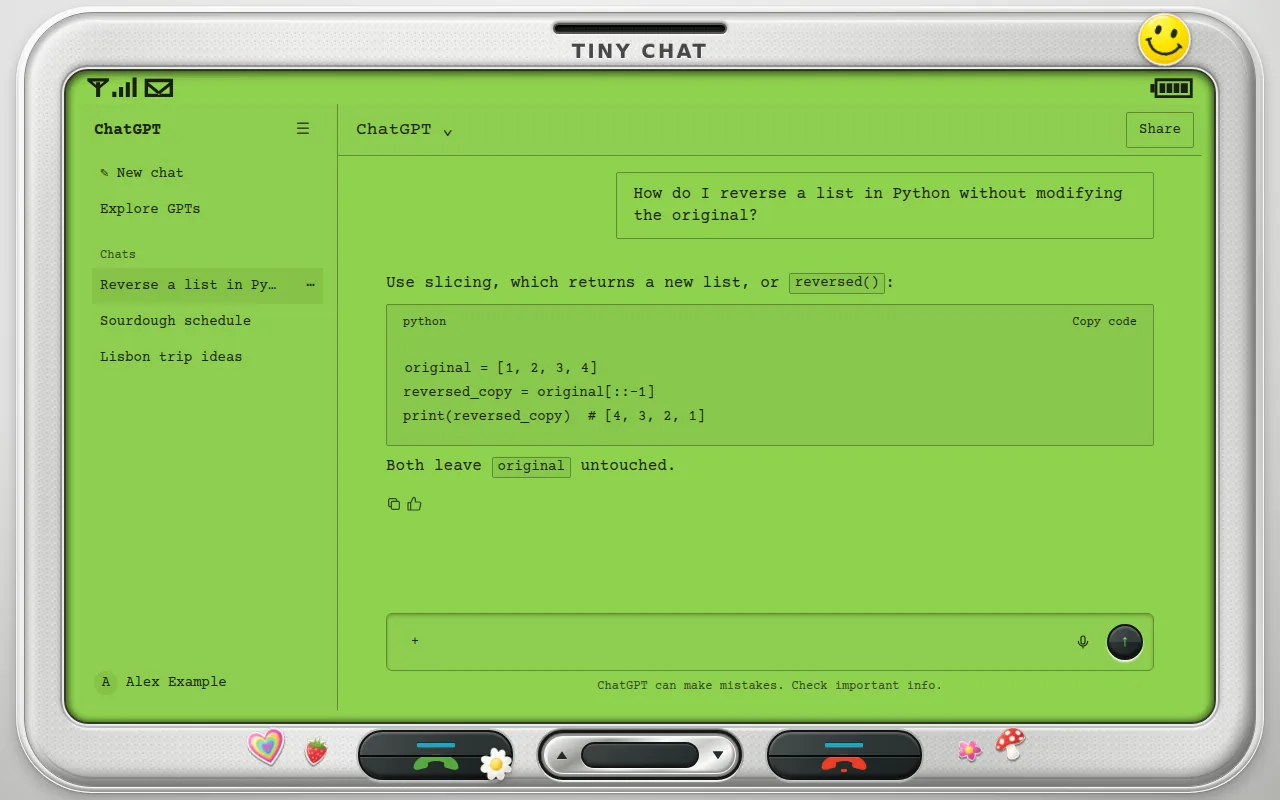
The Y2K Phone look, 2003
In the early 2000s phones were personal: charms, glitter and stickers on every surface. Y2K Phone is our love letter to that, and ChatTheme's flagship theme.
Your chat lives on the lime LCD in typewriter type, and the keypad around it is covered in die-cut stickers: a smiley, a daisy, a strawberry, a rainbow heart and more. Stickers are placed so they never sit on the input box or send button.
- Satin-silver phone frame with lime LCD
- Typewriter type, bundled
- Twelve die-cut sticker designs
- Stickers never overlap the composer or send button
What changes
- Base
- Light
- Font
- Courier Prime typewriter
- Code font
- Courier Prime typewriter
- Corners
- 2px radius
- Frame
- sticker phone
- Effects
- None
- Stickers
- 2
- Palette
Nothing is hidden, moved or covered. Frames are decoration around the app and never sit over the input, menus or send button.
Y2K Phone on ChatGPT, Claude and Gemini
One theme, every app. Pick it once and it follows you across chatgpt.com, claude.ai and gemini.google.com.
How to use the Y2K Phone theme
- 1
Install ChatTheme
Add the free ChatTheme extension to Chrome, Edge, Brave or Arc from the Chrome Web Store.
- 2
Open ChatGPT, Claude or Gemini
Go to chatgpt.com, claude.ai or gemini.google.com and click the ChatTheme icon in the toolbar to open the side panel.
- 3
Pick Y2K Phone
Click Y2K Phone in the Themes tab. It applies instantly without reloading. Press Alt+Shift+T any time to switch back to the stock look.
Want a variation? Open the Create tab and type something like “Y2K Phone but pink” or “add stickers”. AI edits the theme live and you can undo any step.