 Add to Chrome
Paper: a calm sepia theme for ChatGPT, Claude and Gemini
Warm cream stationery, ink-black serif type and a terracotta pen. For long answers you actually want to read.
Free · chatgpt.com, claude.ai and gemini.google.com · Off in one key with Alt+Shift+T
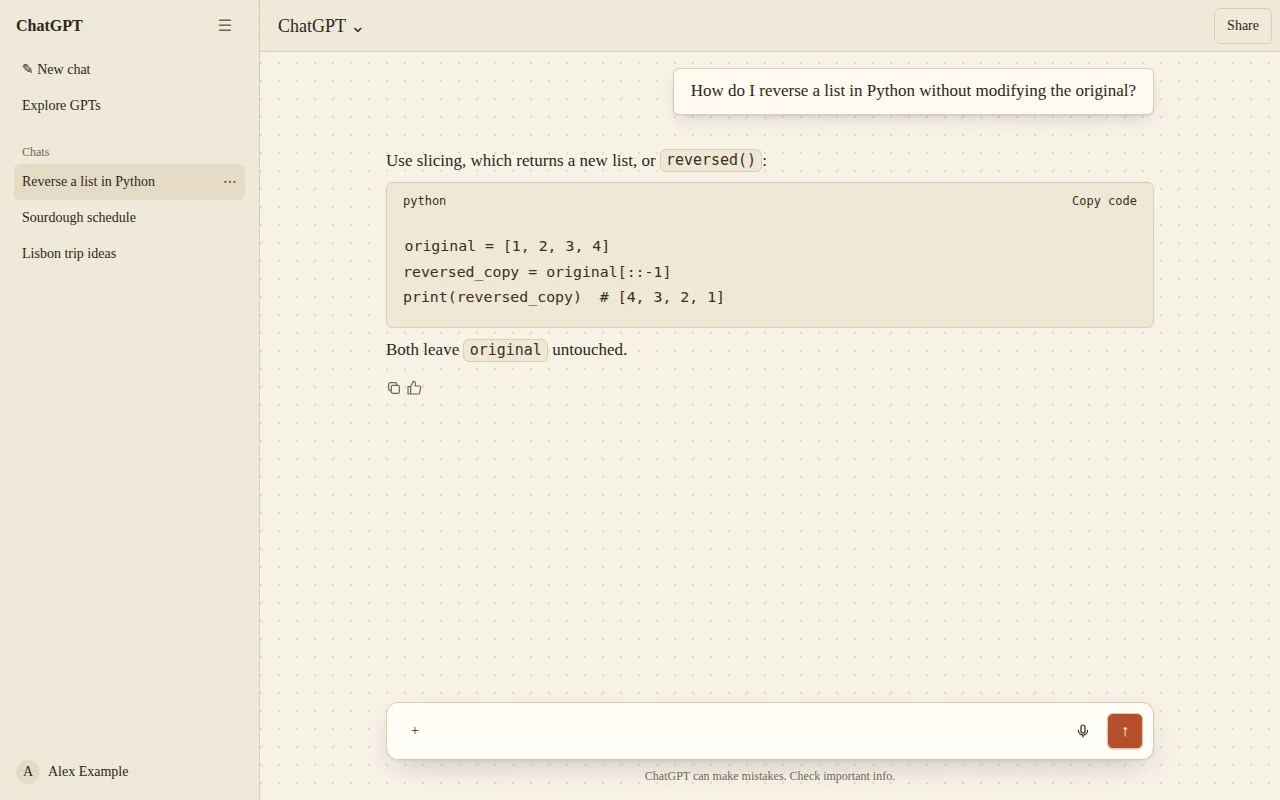
The Paper look
Not every theme needs a bezel. Paper is for long reading sessions: a warm cream background with a faint dot grid, a serif body font and a single terracotta accent.
It is the theme to pick if bright white feels harsh but full dark mode feels like too much.
- Cream background with a subtle dot pattern
- Serif body type
- Terracotta accent
- No frame: the layout stays exactly as is
What changes
- Base
- Light
- Font
- Serif
- Code font
- Monospace
- Corners
- 6px radius
- Frame
- None (layout untouched)
- Effects
- None
- Palette
Nothing is hidden, moved or covered. Frames are decoration around the app and never sit over the input, menus or send button.
Paper on ChatGPT, Claude and Gemini
One theme, every app. Pick it once and it follows you across chatgpt.com, claude.ai and gemini.google.com.
How to use the Paper theme
- 1
Install ChatTheme
Add the free ChatTheme extension to Chrome, Edge, Brave or Arc from the Chrome Web Store.
- 2
Open ChatGPT, Claude or Gemini
Go to chatgpt.com, claude.ai or gemini.google.com and click the ChatTheme icon in the toolbar to open the side panel.
- 3
Pick Paper
Click Paper in the Themes tab. It applies instantly without reloading. Press Alt+Shift+T any time to switch back to the stock look.
Want a variation? Open the Create tab and type something like “Paper but pink” or “add stickers”. AI edits the theme live and you can undo any step.